
This article will show you how to make a Data Source using the graphical interface.
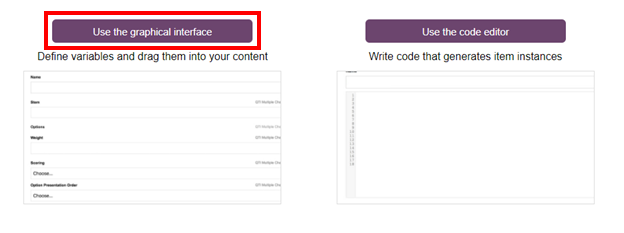
1- Open the Graphical Interface.
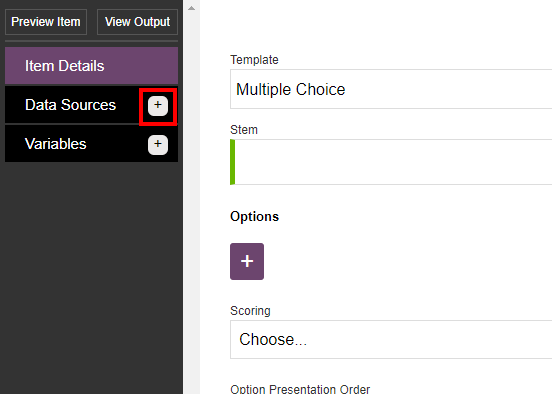
2- Click on the plus button next to Data Sources on the the top left side of the window.
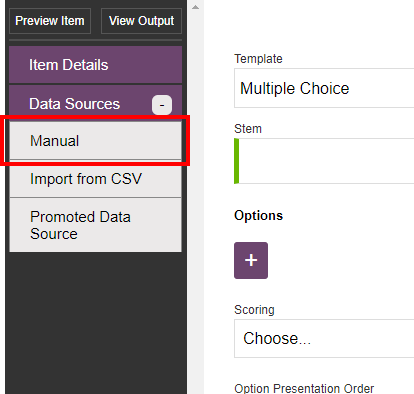
3- Click on the Manual option.
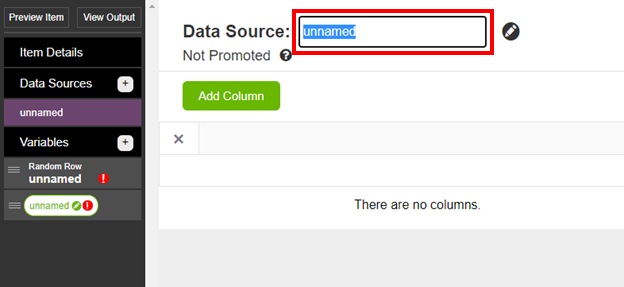
4- Type a name for the Data Source in the box right of Data Source:
5- Click on the Add Column button.
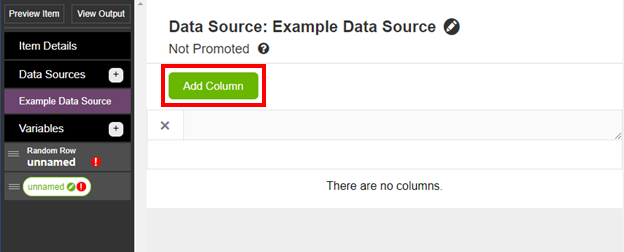
6- Type in a name for the column.
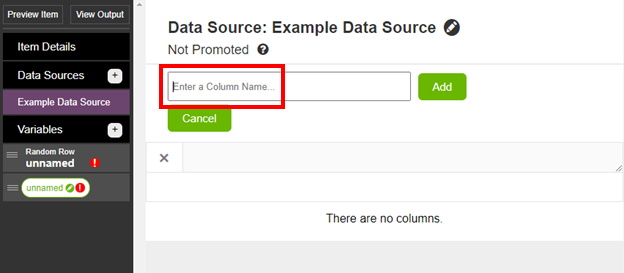
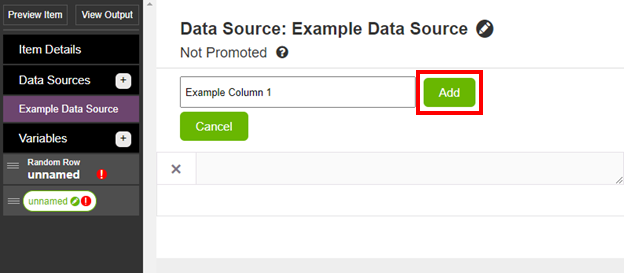
7- Click on the Add button.
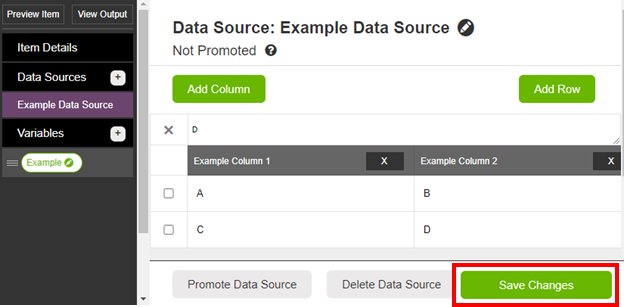
8- From here you can add information into cells, add rows and columns as needed by typing in the cells and pressing the add Column and Add Row button.
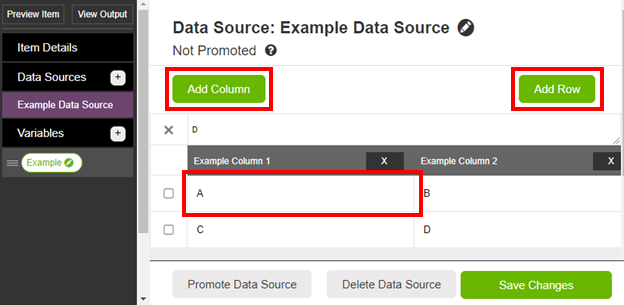
9- Once you have completed the Data Source, click on the Save Changes button.
Comments
0 comments
Article is closed for comments.