
This article will show you how to make a Random Number Variable using the graphical interface. The random number variable creates a random number between a minimum and maximum number.
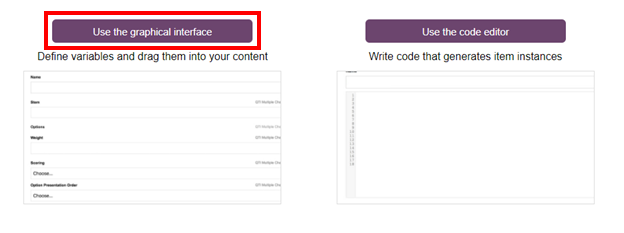
1- Open the Graphical Interface.
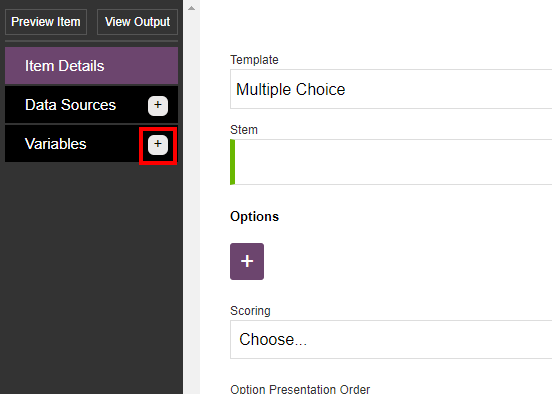
2- Click on the plus button next to Variables on the the top left side of the window.
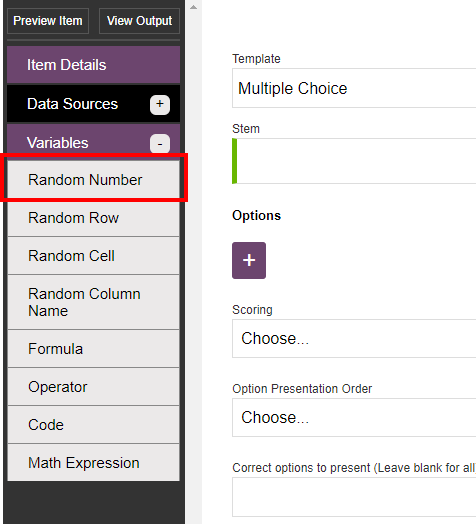
3- Click on the Random Number option.
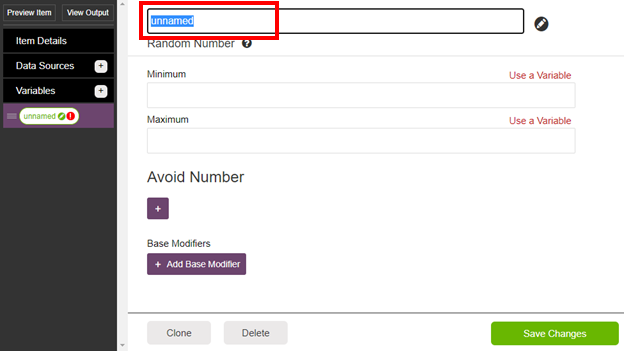
4- Name the variable in the box with the text "unnamed"
5- Type the Minimum and Maximum numbers you would like to be used for this variable.
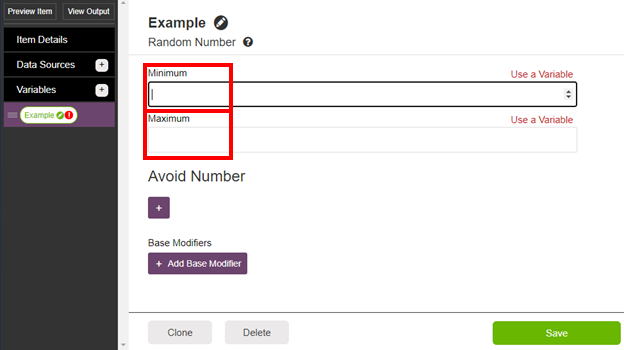
Steps 6 and 7 show how to add Avoided Numbers for the variable and are optional
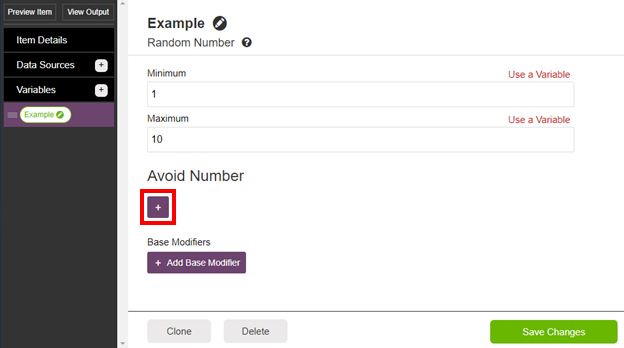
6- Click on the plus button (you can add multiple numbers to be avoided).
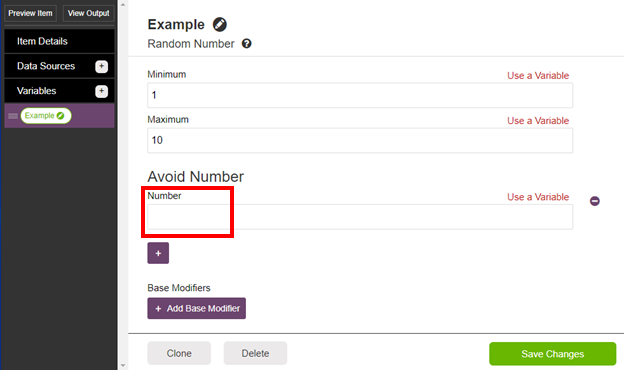
7- Type the number you would like to be avoided in the box under Number.
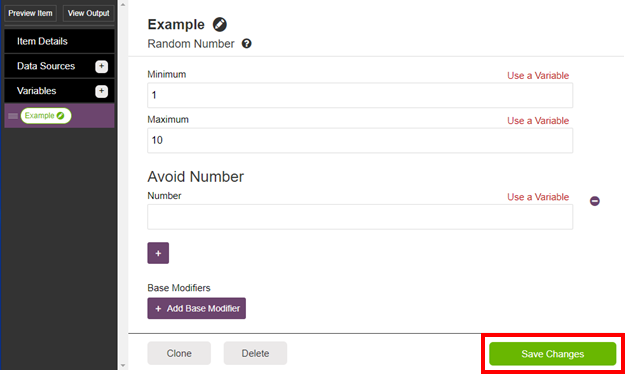
8- Click on the Save Changes button in the bottom right corner.
Comments
0 comments
Article is closed for comments.