
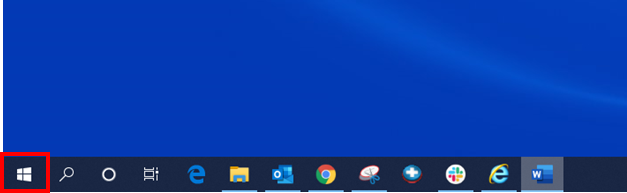
1- Click on the start button on the bottom right hand corner of the screen.
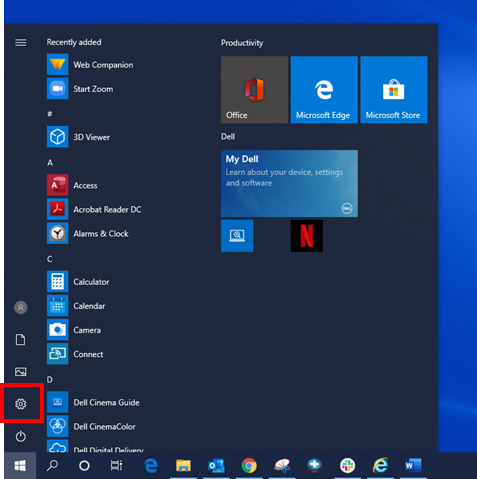
2- Click on settings/ gear icon.
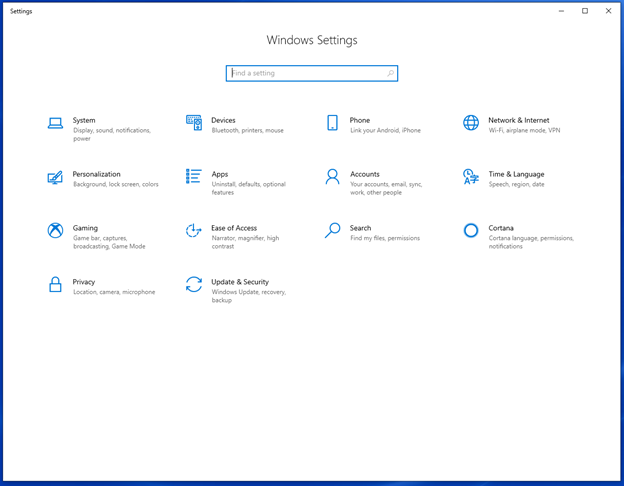
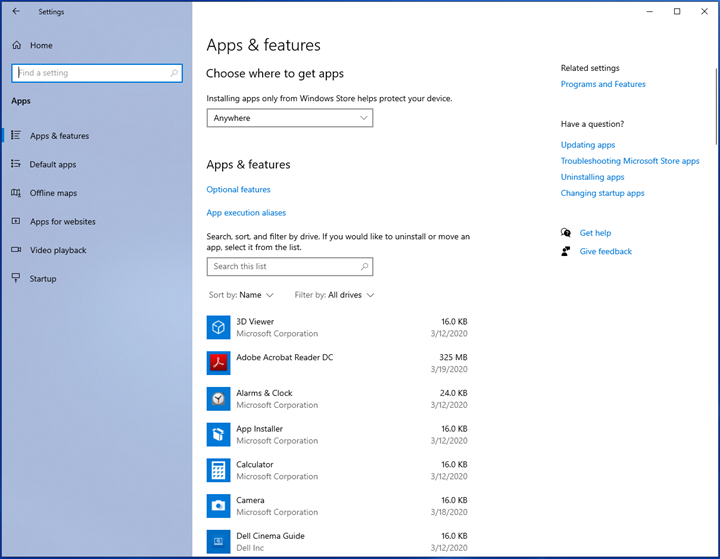
You will then see the following window:
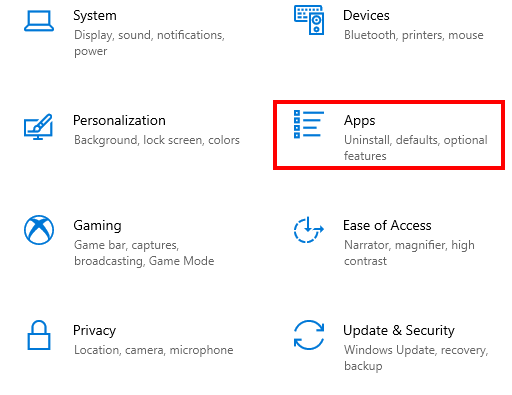
3- Click on Apps.
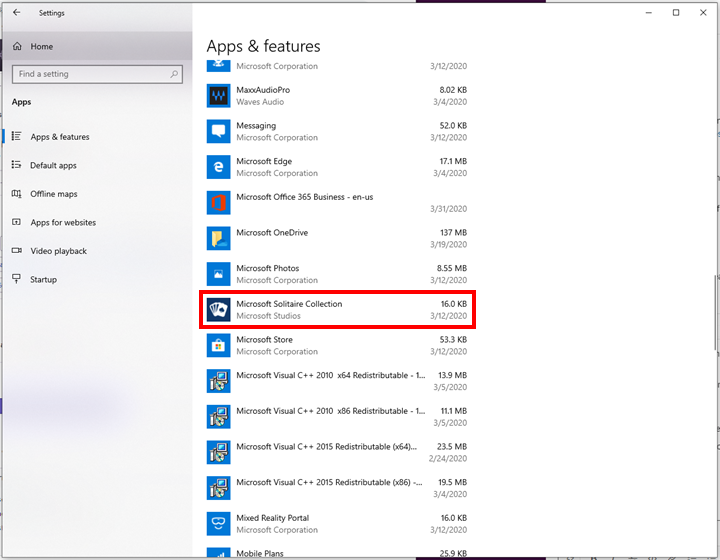
4- Scroll down to the program/ application you want to uninstall (in this example, I will be using Microsoft Solitaire Collection).
5- Click on the program/application.
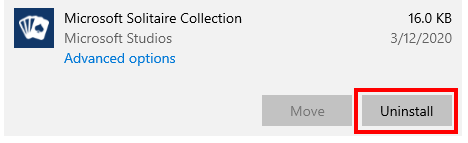
6- Click on the Uninstall button.
7- Click on the new Uninstall button.
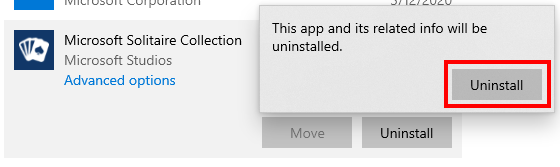
The program should uninstall. If the program is still no uninstalled contact IT support.
Comments
0 comments
Article is closed for comments.